
CASE STUDY
Vendor Portal
To cut costs and boost efficiency, a custom Vendor Portal replaced an expensive third-party system for managing maintenance across 17,000+ properties.

My Role: UX Lead | Timeline: 4 months to launch | Team: Cross-functional (USA + China) | Tools: Figma, FigJam, Dovetail, Hotjar, PowerBI, Userlytics
Problem:
A property management company overseeing 17,000+ units relied on an expensive third-party system to manage resident maintenance requests. This setup resulted in limited control over the repair process, poor visibility into vendor performance, and approximately $22.4 million in added costs.
✅ Value creation
Cost savings potential up to 28% on $80 million
We rely on a third party to manage our residents maintenance issues. This comes at a high cost.
Improve vendor experience
1. Flying blind without pictures or residents availability.
2. Streamlined workflows and improve communication and expectations.
Improve resident experience
1. Better quality checks
2. Improve communication
3. Vendor’s accountability
⁉️ Some challenges
New team members
The team was very new, and there was a lot of background foundational information to learn.
Time constraints
This project was key to secure an investment and had to be fully completed in 4 months, including research, design, testing, development, and UAT.
Lack of initial requirements
The PM joined the project a little later, and we didn’t have requirements to work on, only a general goal.
The process
Empathize
Define
Ideate
Prototype
Test
First, we got to know our users
To kick off the project, we reviewed the third-party software that we used, plus our competitors to identify key features. We also interviewed our internal teams that work with the third-party provider and vendors on a daily basis to understand their perspective on what would be the priority for MVP. We also interviewed 5 vendor companies to understand their needs and wants.

We drafted personas for alignment
From the research, we discovered two different personas:
Supervisor
Works from office | Tech savvy | Uses a desktop

Technician
Works from the field | Non-tech savvy | Uses phone or tablets | Communicates text, and calls

Vendor Pain Points
From the interviews, we uncovered many pain points. Some related to our internal system and some to the vendor portal. For this project, we will focus on the vendor portal only.
The most recurrent pain points were:
- Some technicians don’t have internet service during home visits
- Technicians and residents would like to finish a project in one visit if possible
- The approval process blocks technicians from starting work, even small ones
- Email communication can get lost and not followed up in a timely manner
As a team, we went through the “How Might We” exercise to ideate ways for how we can provide meaningful solutions to our vendors.

Assessing Risks (RAID Exercise)
Since there were a lot of teams moving quickly and a tight deadline to meet, we got together to go over risks, assumptions, issues, and dependencies to make sure we were all aligned and on track.

From this exercise we uncovered many points to consider, including the risk of spending too much money and time building a required mobile app for MVP for technicians that are not tech savvy and might not adopt technology.
Mitigating the risk and confirming assumptions
To understand the likelihood of technicians adopting the technicians’ app, we surveyed 20 vendor companies.
We confirmed that approximately 58% of technicians don’t use our third-party provider mobile app.
Reasons why technicians didn’t adopt our mobile app included:
- Training technicians require a lot of time
- Technicians are not tech savvy
- Technicians prefer to communicate via phone calls and texts
With this information, we decided that for MVP it would be too risky to create a mobile app. Instead we will adapt the web app for mobile including limited functionality and making it optional for technicians.
Defining MVP
Based on discussions with the business team, the interviews, and input from the developers, we agreed on a set of solutions to work one for MVP. We added those solutions into a sitemap.

We visualize the idea with wireframes and prototypes
We built a fully-featured desktop app for supervisors and adapted it to mobile for technicians.


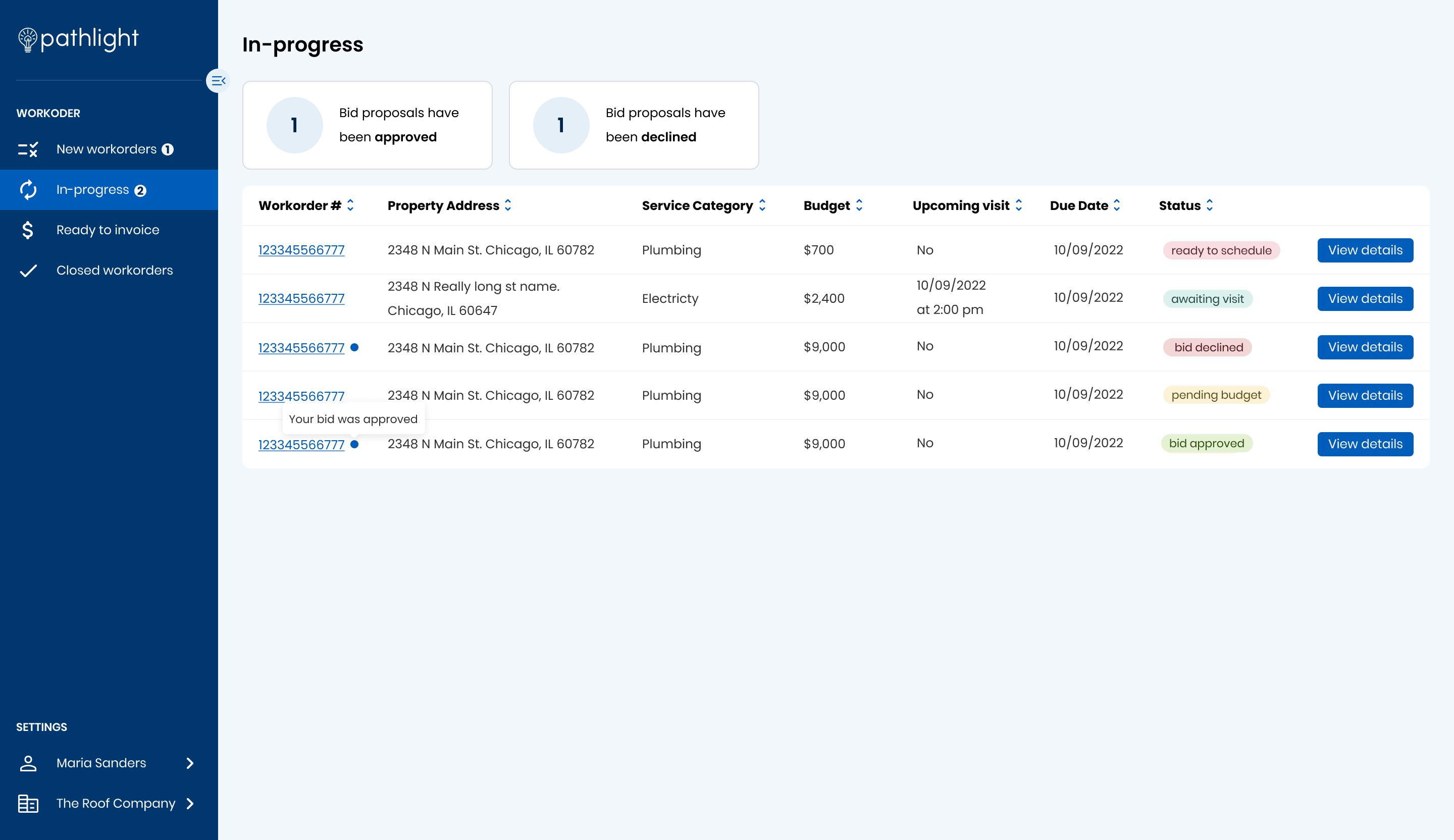


Usability Testing & Iteration
We tested our design with 6 vendors and 6 technicians. Some of their feedback included:
Some of the recommendations:
- Show residents information right away instead of on hover only.
- Revise the add a photo button. It needs to be more visible and intuitive
- Give feedback on why buttons are disabled.
- Revise scheduling modal
- State clearly the requirements that vendors need to submit before completing a work order.

After the release, we continued to listen and iterate via:
1. Data analysis
- 869 processed work orders
- 95% of work orders were completed in one visit
- Over the first month, the vendor efficiency increased, decreasing the time spent on each step of our happy path

2. CSAT survey
The CSAT survey served as a benchmark for the future. Even though the feedback was very positive for our MVP, we acknowledge that there was room for improvement

3. Hotjar feedback
With the Hotjar in-app feedback tool, we were able to gather comments on areas of improvement while reviewing our users’ recordings.

4. Interviews
We interviewed 5 vendors to get qualitative feedback on their experience so far using the vendor portal. We got great feedback on the items our users loved and the areas they didn’t enjoy as much to learn areas of improvement.

Based on this feedback, we created highly requested features like adding notes to a work order or a dashboard with actionable items. We also iterated the layout and copy slightly to increase visibility and clarity.


Reflection
- What worked well: Early decision to avoid native app saved time and money.
- Biggest challenge: Coordinating across global teams in a fast-moving project with a lot of unknowns was tough and required constant alignment.
- What I’d do differently: I’d push for deeper alignment from the very beginning to make sure everyone starts on the same page.
This portal was continuously being updated based on what we learned from feedback loops